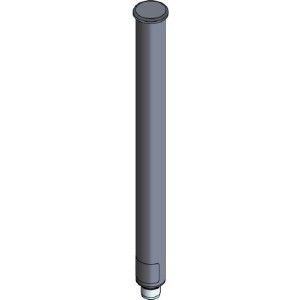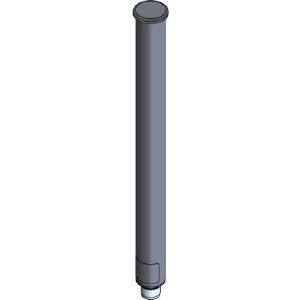
Cisco AIR-ANT2568VG-N= Antenna

Cisco AIR-ANT2568VG-N= Antenna - Desktop computers

Cisco AIR-ANT2568VG-N= Antenna - Desktop computers

Alle 1 prijzen en aanbieders

Prijsalert instellen
Meest populaire keuze
€ 315,00Gratis verzending
1 tot 2 dagen
Check de website voor de levertijd | Gratis bezorgd > €20,-

Bekijk product
Krijg een seintje als de prijs daaltE-mail invullen, drempel kiezen en klaar.

Specificaties

Belangrijkste kenmerken
EAN
0882658761713

Productomschrijving

Cisco Aironet Dual-Band Omnidirectional Antenna (AIR-ANT2568VG-N) is designed for outdoor use with Cisco Aironet Outdoor Access Points (hereafter referred to as access points) with radios operating in the 2.4-GHz and 5-GHz frequency bands.\n\nInstallation Notes\n\nThe antenna is designed to connect to a dedicated antenna port on the access point. No special tools are required to install the antenna.\n\nThe antenna is resistant to the full range of outdoor environments. After the antenna is attached to the access point, seal the connections to prevent moisture and other weathering elements from affecting performance. Cisco recommends using a coax seal (such as CoaxSeal) for outdoor connections. Silicone sealant or electrical tape are not recommended for sealing outdoor connections.\n\nChoosing a Mounting Location\n\nThe antenna is designed to create an omnidirectional broadcast pattern. To achieve this pattern, the access point should be mounted clear of any obstructions to the sides of the radiating element. If the mounting location is on the side of a building or tower, the antenna pattern is degraded on the building or tower side.\n\nGenerally, the higher an antenna is above the ground, the better it performs. A practice is to install your antenna about 5 to 10 ft (1.5 to 3 m) above the roof line and away from all power lines and obstructions.\n\nTools and Equipment Required\n\nNo tools are required to mount the antenna to the access point. However, you may need a ¾-in. (19-mm) open end or combination wrench (or adjustable wrench) to remove the antenna port covers.\n\nFor information about tools required to mount the access point, see the appropriate access point documentation.\n\nMounting the Antenna\n\nTo connect the antenna to the access point, follow these steps:\n\nStep 1 If necessary, remove the antenna port cover.\n\nStep 2 Align the antenna’s N connector with the appropriate antenna port.\n\nStep 3 Gently push the antenna into the port.\n\nStep 4 Tighten the antenna hand tight.

Reviews

Er zijn nog geen reviews geschreven

Heb jij dit product in bezit en wil je graag je mening geven? Start dan hieronder met het schrijven van je review. Afhankelijk van de details duurt het schrijven van een review gemiddeld tussen de 3 en 10 minuten. Met jouw mening help je andere bezoekers een betere keuze te maken én maak je iedere maand kans op €250,-! Klik hier voor de actievoorwaarden.
Welk cijfer geef jij dit product?