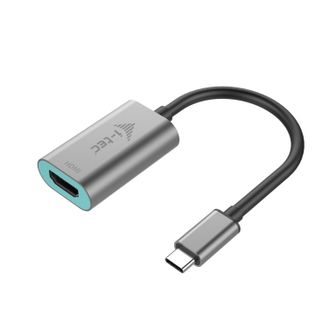
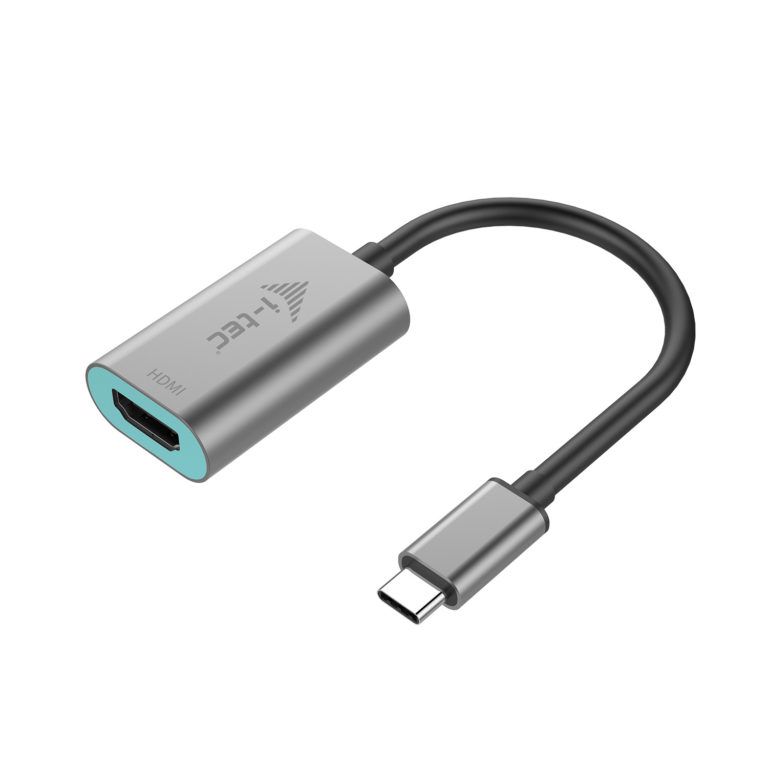
i-Tec Metal C31METALHDMI60HZ - Adapter - Grijs, Turkoois

i-Tec Metal C31METALHDMI60HZ - Adapter - Grijs, Turkoois - Kabels

Alle 2 prijzen en aanbieders

Prijsalert instellen
Meest populaire keuze
€ 29,98Gratis verzending
6 of meer dagen
Check de website voor de levertijd | Gratis bezorgd > €20,-

Bekijk product

Marketplace aanbod

€ 29,98Gratis verzending
6 of meer dagen
Check de website voor de levertijd | Gratis bezorgd > €20,-
Bekijk product

Prijshistorie

Laagste prijs
Gemiddelde laagste prijs
Laagste prijs ooit

€ 21,99

Hoogste prijs ooit

€ 24,88

Goedkoopste nu

€ 21,99

Laatste prijsupdate

06-06-2026

Stel een alert in en mis geen prijsdalingKrijg een seintje zodra de prijs zakt

Specificaties

Belangrijkste kenmerken
EAN
8595611702600

Productomschrijving

Expand your desktop to external HDMI monitor or connect projector or television with HDMI interface to your notebook, tablet or PC via new USB-C or Thunderbolt 3 connector. The adapter supports 4K Ultra HD video with resolution up to 3840 x 2160 @60Hz and stereo sound.\n\nThe adapter is suitable for use with Chromebook Pixel 2015, Acer Switch Alpha 12, Dell XPS 13, HP EliteBook Folio G1 and other devices with the USB-C connector. The USB-C connector has many advantages, it is smaller, symmetrical and allows easy connection because now you need not take care of the rotation of the connector.\n\nThe adapter is the excellent choice for designers, graphic designers, gamers, and other users working with more than one screen simultaneously. Using the “Extend” and “Mirror” modes you can work for example with applications on two monitors (e.g., wide spreadsheets), or you can work on the first screen and search for information on the Internet on the second screen, you can compare several documents simultaneously without constant switching among the open windows, you can display panoramic images on two screens without the need to have another computer etc.\n\nUsing is very simple, just plug the adapter into the USB-C or Thunderbolt 3 port on your computer, connect it to a display device via HDMI cable and you can immediately start using. Driver installation is automatic from the system.\n\nPlease make sure to check a compatibility of your device, whether it meets all the requirements for an operation of the specific i-tec product, especially video output (Display Port Alt mode), and/or Power Delivery. If your device would not be fully compatible, your new i-tec product may not operate correctly.

Reviews

Er zijn nog geen reviews geschreven

Heb jij dit product in bezit en wil je graag je mening geven? Start dan hieronder met het schrijven van je review. Afhankelijk van de details duurt het schrijven van een review gemiddeld tussen de 3 en 10 minuten. Met jouw mening help je andere bezoekers een betere keuze te maken én maak je iedere maand kans op €250,-! Klik hier voor de actievoorwaarden.
Welk cijfer geef jij dit product?